Nelson Mandela Bay’s new Telemetry-SCADA system proved vital in drought response - boosting resilience, efficiency, and real-time water management.

Matthew Hills, Engineer, Nelson Mandela Bay Municipality
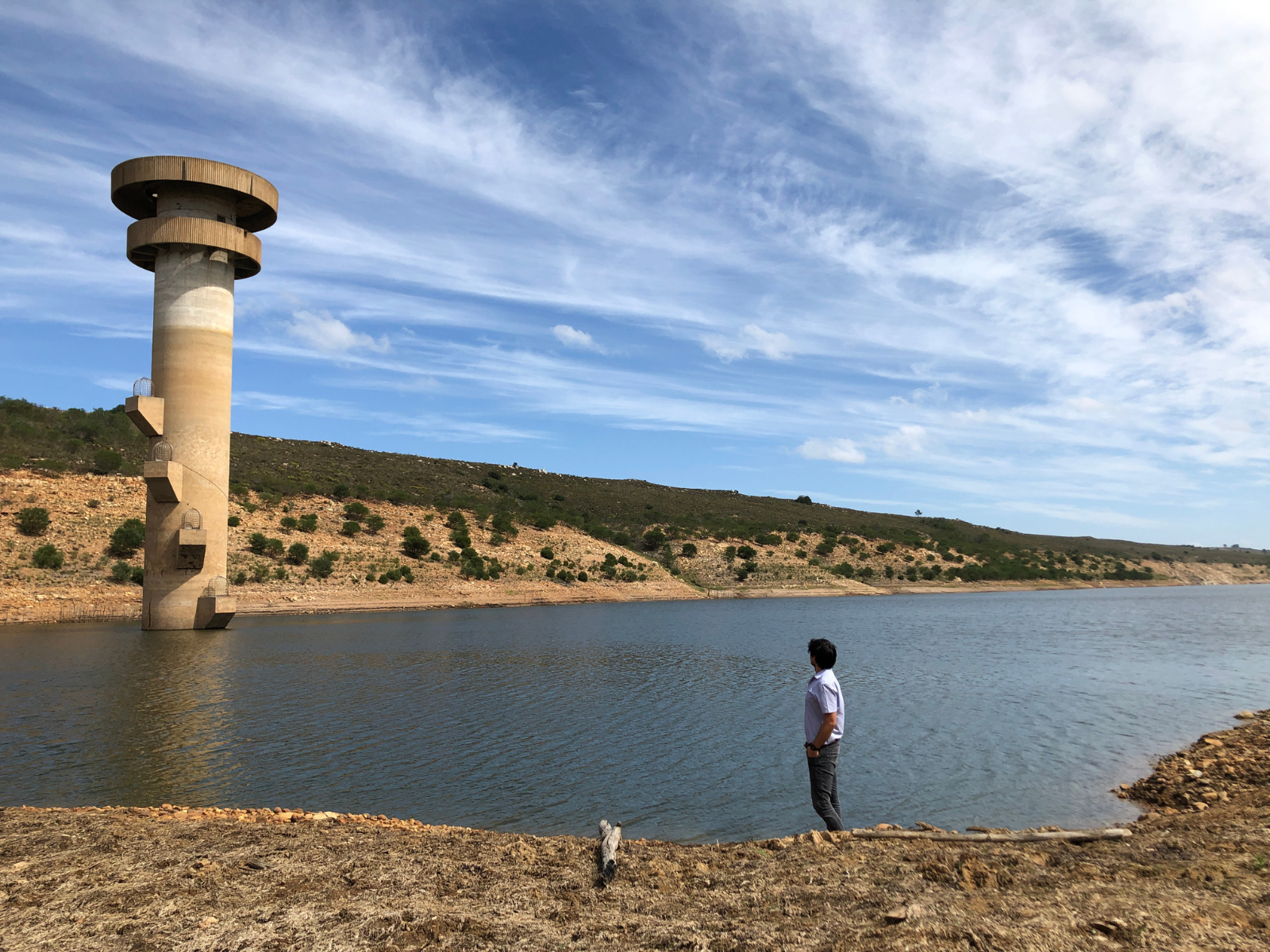
Impofu Dam during the drought, with dam levels well below the intake tower inlets
Old legacy system
Previously, the NMBM had a radio and microwave based system that was severely limited in terms of functionality, covered only a minor portion of the network, had communication that was notoriously unreliable, gave no confidence in the data it displayed, and was ultimately not very useful. Like the NMBM, many other municipalities and water boards have incorporated some form of Telemetry-SCADA system, however, very few have become fully integrated into these entities for day-to-day operation and management of water supply systems valued at billions of rand.Unlike the old system, the NMBM’s new Telemetry-SCADA system has proven itself to be invaluable.
“I immediately get a multitude of calls in those rare moments that the system is down, even if it is just a few minutes. Being able to remotely monitor and control the water supply system 24/7/265 has become essential to all staff within the water department.”
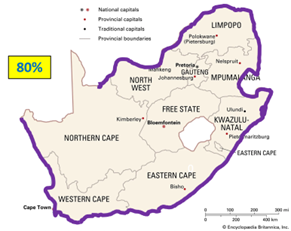
The NMBM’s water pipe network is 5382 km in length, which is approximately 80% of the total perimeter of South Africa
Step 1: Operational technology (OT) is a separate system to your institutional information technology (IT)
A barrier to entry for many has been an organisational misunderstanding that a Telemetry-SCADA system is required to adhere to the institution’s Information Technology (IT) policies. These policies are designed to protect an institution’s network, including critical accounting and email systems, and therefore employ strong firewalls and an accompanying administrative process that is cumbersome to say the least. IT Departments within governmental institutions are often short staffed and struggle to procure the most basic hardware and software. They don’t always treat a Telemetry-SCADA system outage with the urgency it requires. “The solution for the NMBM has been to classify its Telemetry-SCADA system as Operational Technology (OT), thereby exempting it from its IT Policy on the condition that the networks remain completely separated. OT includes the hardware and software used to detect or cause a change through the monitoring and/or control of equipment, devices, processes, and events (National Institute of Standards and Technology, 2024). A Telemetry-SCADA system meets that definition. This gives the water and sanitation department a sense of ownership and responsibility for the system,” explains Hills.Step 2: Packaging of data starts at the on-site Programmable Logic Controller (PLC) and linked devices
A PLC is a rugged and industrial form of computer that acts as the brains of the electronics. It’s the piece of equipment that reads information from sensors and devices, and then issues instructions and/or commands in return based on a set of programmed rules. By way of example, it’s the intelligent box that tells a motor to turn off once the reading from the temperature sensor exceeds the maximum heat limit. What information is stored within the memory of the PLC is the first building block of a Telemetry-SCADA system. Ideally an institution will issue a set of PLC function blocks, a technical name for lines of computer code, for each type of equipment used within its water infrastructure. This will ensure that the quantity and quality of data available will be easily integrated into upstream systems. It is here that information begins.“Today, over 20 000 data points from pipelines, boreholes, pump stations, and treatment works are fed into the Telemetry-SCADA system every ten seconds,” adds Hills.
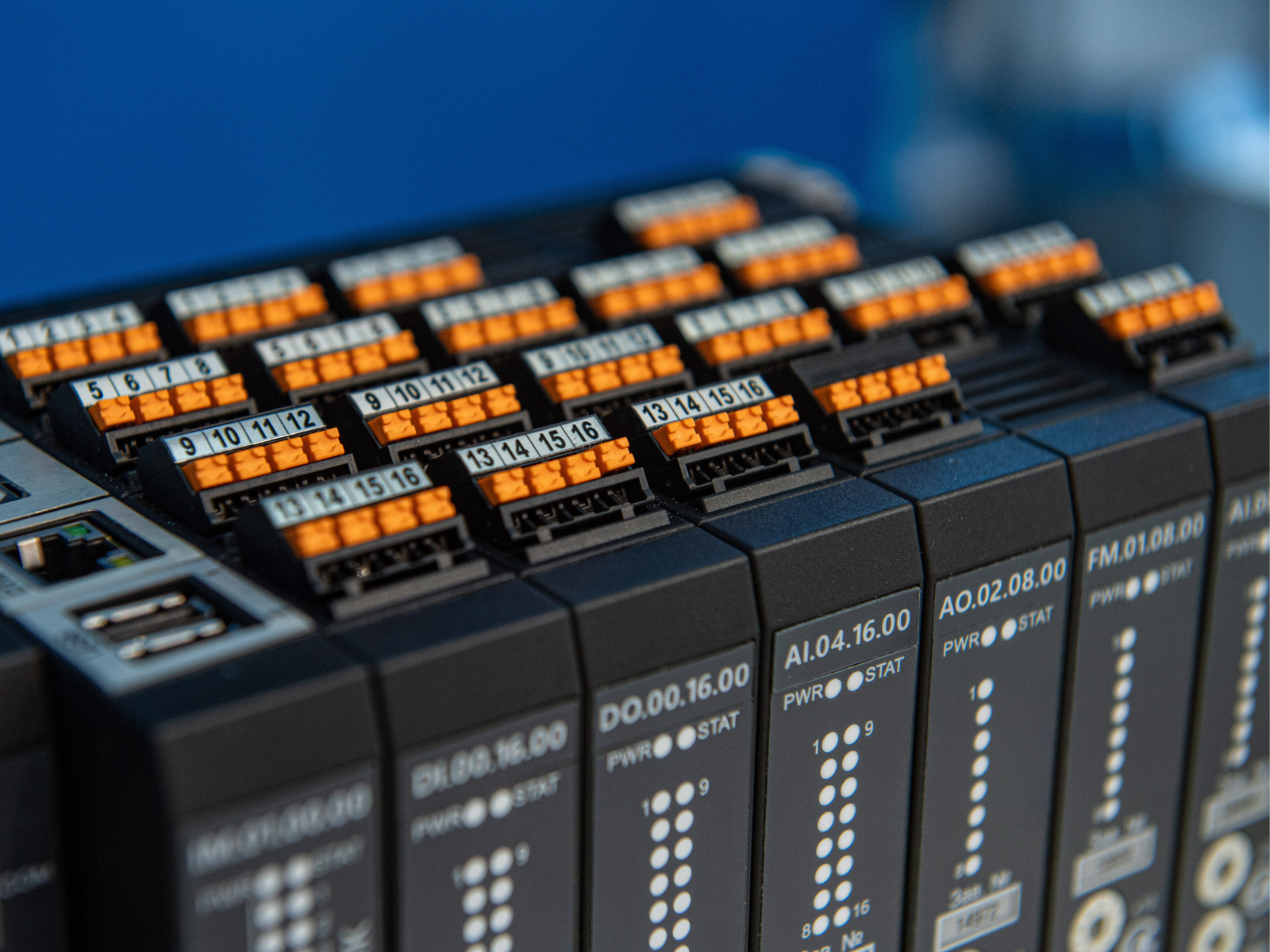
Packaging of data starts at the on-site Programmable Logic Controller (PLC) and linked devices
Step 3: Build a network that allows full control of site connections
All of the sites as well as head office must be linked to each other on a network so that they can communicate with one another. In technical terms, this is done by adding all sites to a Virtual Local Area Network (VLAN). Instead of using a VPN service provider, which can prove complicated when it comes to sole-provider procurement, the NMBM has taken control of its OT network by purchasing a perpetual license for a gate manager. A gate manager is a device that enables the connection to and communication with multiple devices on a network. The Secomea Gate Manager was selected as its locally stocked SiteManager devices automatically take care of network addresses changing and their user-friendly access portal for adding devices to the network. For sites where the electricity grid is unavailable and thus need a battery based system is required, the Cloudworks Server package was selected as it was provided free of charge when purchasing their battery powered devices.Step 4: Use the cellular network for bi-directional communication and reliability
The NMBM’s legacy telemetry system made use of an institutionally owned and operated radio and microwave communication system. Although the coverage was great, frequent vandalism and theft of tower equipment (and once even the whole tower structure itself ) often led to extended network blackouts. Another major limitation was the limited bandwidth available, severely restricting the volume of communication traffic. The chosen way forward was to migrate to the cellular network. Cellular network operators are highly motivated to keep their networks online as they earn revenue for the traffic hosted by their networks. The reliability and coverage of the cellular network was the primary motivator behind the migration. The secondary being that the high-speed bandwidth would allow the NMBM to work on PLCs remotely. One of the disadvantages of the cellular network is that SIM cards normally have a dynamic Internet Protocol (IP) address. Every time it switches connection to a different cell tower, and sporadically even if it stays connected to just one cell tower, the IP address of the device changes. This makes it extremely difficult to “find” a PLC on the internet, as its “location keeps moving”. The alternative is to pay an exorbitant amount to a cellular provider to issue you with static IP SIM cards, thereby fixing their address on the internet. Both the Secomea GateManager and Cloudworks Server were also chosen as they handle dynamic IPs automatically. In fact, they work independently of whichever SIM cards are in the device. This means that if the institution changes cellular service providers, switching device SIM cards will not require any additional setup.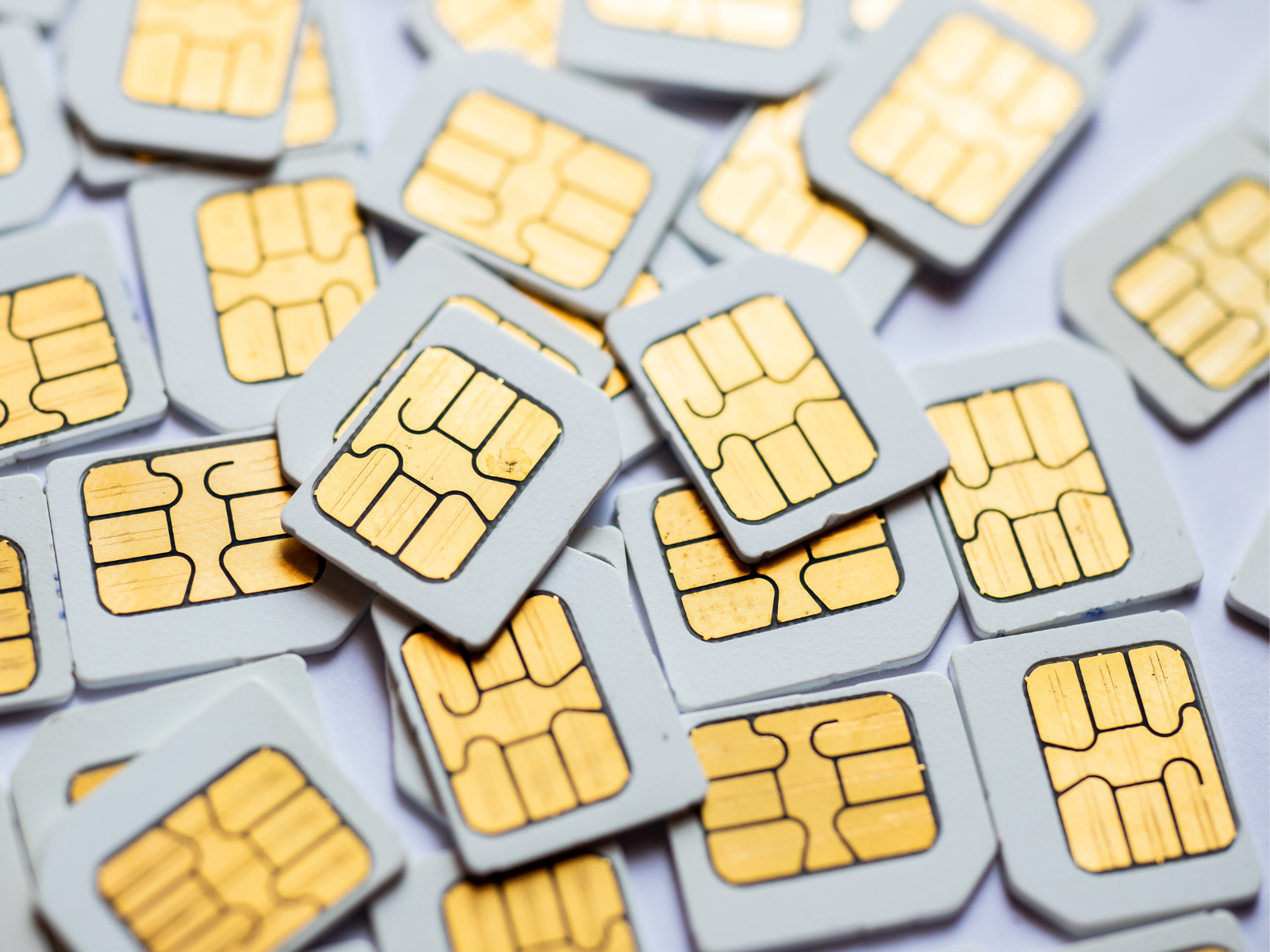
Cellular networks were used for bi-directional communication and reliability
Step 5: Build redundancy into hardware infrastructure by including backup power generation
An Uninterrupted Power Supply (UPS) and backup power generation, usually in the form of solar or a generator is needed for servers at head office. It is expected that a Telemetry-SCADA system is operational 24/7/365 with an uptime exceeding 99%. “What was overlooked initially was the need for backup power for our PLCs at each site. When a site experienced a loss of power supply, all too frequently during loadshedding, we would lose communication instantly and have no means of diagnosing the fault or issuing commands to equipment,” warns Hills. Installing a backup battery system for PLCs is essential for understanding what is happening on site once the electricity grid goes out.
Step 6: Elect for an open-source protocol
A major gripe with the NMBM’s legacy telemetry system was that the transmission of data in 1’s and 0’s from site to head office was in a language that the team could not understand, known as a closed protocol.“This meant that we were “locked in” to a specific service provider and their proprietary equipment. Procurement in local government is complicated enough without having a sole service provider,” comments Hills.Stipulating the use of an open protocol was a non-negotiable for the NMBM as the institution wanted to take back ownership of its communication network and pay zero royalties. For the pull open protocol, whereby head office asks each site PLC for data at set intervals, MODBUS was selected and for the push open protocol, whereby the site PLC sends data when it deems it necessary for head office to know about, DNP3 was selected. Although DNP3 can significantly reduce the amount of unnecessary data on the network (think of a borehole level probe telling you a reading of 10.78 m every ten seconds for a whole month), it has proven complicated to implement at driver level and thus mainly MODBUS has been used to date with the aim of moving to DNP3 in the future.
Step 7: Stipulate a tag naming convention so that information is logically stored
All the information being retrieved from site PLCs needs to be stored in a logical order. “We developed a standard tag naming convention that designates a unique reference title to each piece of data. A maximum of twenty-nine characters in the following format was specified. This has made it simple to search through a large database when requesting some data, but also permitted the organised sorting and post processing of all information being retrieved,” adds Hills. The NMBM’s tag naming convention is defined by the following standard: UUUU_VVVV_WWW_XXX##_YYY##_ZZZ where:UUUU=Department
VVVV=Site
WWW=Process
XXX##=Work Unit
YYY##=Equipment
ZZZ=Signal
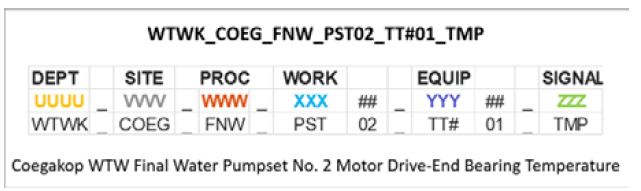
An example of a tag name for a temperature reading from a motor bearing.
Step 8: Instil a consistent look-and-feel by developing standard icons, graphics, and colours
The NMBM has put a lot of time and effort into a from-the-ground-up redesign of the Graphical User Interface (GUI). Complaints from users of the previous Telemetry-SCADA system often included that it was not “visually appealing” and that it “lacked a consistent look and feel” in terms of navigation and icons. Standardisation of the icons, graphics, and colours to follow a clear “situational awareness” display philosophy was thus developed. Situational awareness aims to only attract operator attention to sites requiring user action, a reservoir overflowing for example. A template graphic form that separated the screen into four distinct areas created a consistent look and feel when navigating between different sites. Custom icons, in a vector file format, were created to represent each type of equipment within the water network. Even the colours used were standardised, with particular effort into choosing the graphic form background colour to be an off-white so as to minimise eye fatigue of the operators staring at it for extended periods of time, particularly at night. A dark-mode is further improving user comfort. By implementing consistent design standards, the system as a whole is easier to work on and the owner benefits by way of reduced maintenance costs.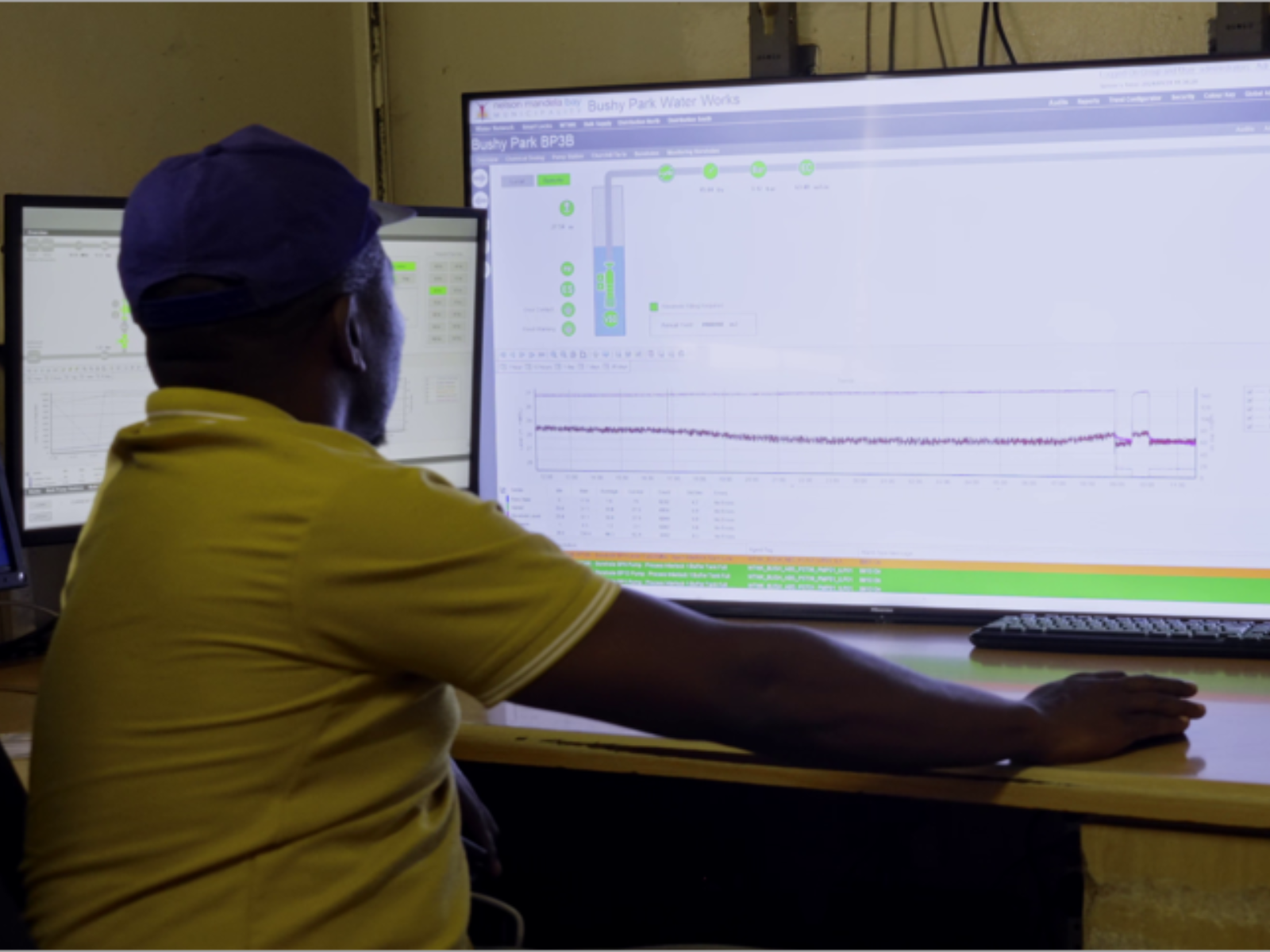
A user friendly system encourages operator usage.
Step 9: Develop a security matrix and define access and control permissions for groups of users
“In hindsight, a security matrix that clearly defines the functionality and available control for specified user groups should have been the first step taken in this redevelopment of the Telemetry-SCADA system. One does not want a junior employee to be able to turn pumps on (plant control) or lower the free chlorine targets of a water treatment works (change setpoints). It further allows for a full audit trail of each users interaction with the Telemetry-SCADA system, essential for reviewing response times to alarmed events and actions taken.” states Hills.Step 10: Allow for secure remote system access of mobile devices through a web hosted address
The NMBM has a Water and Sanitation Operation Centre staffed 24/7/365 that takes responsibility for executing system alterations based on a set of Standard Operating Procedures (SOPs). The management of this fall within each division head, mainly the Water Distribution and Plant Maintenance divisions. A need arose for these division heads, senior management, key stakeholders, and support staff to be able to securely access the Telemetry-SCADA system remotely from their mobile devices and laptops. A Secure Mobile Gateway (SMG) server was thus hosted on-premise with an opensource certificate manager to ensure a secure and protected connection. Through this, one can use any web browser, like Google Chrome (Windows/Android) or Safari (iPhone), to access the Telemetry-SCADA system by navigating to a website through a URL. A username and password prompt ensures no unauthorised access.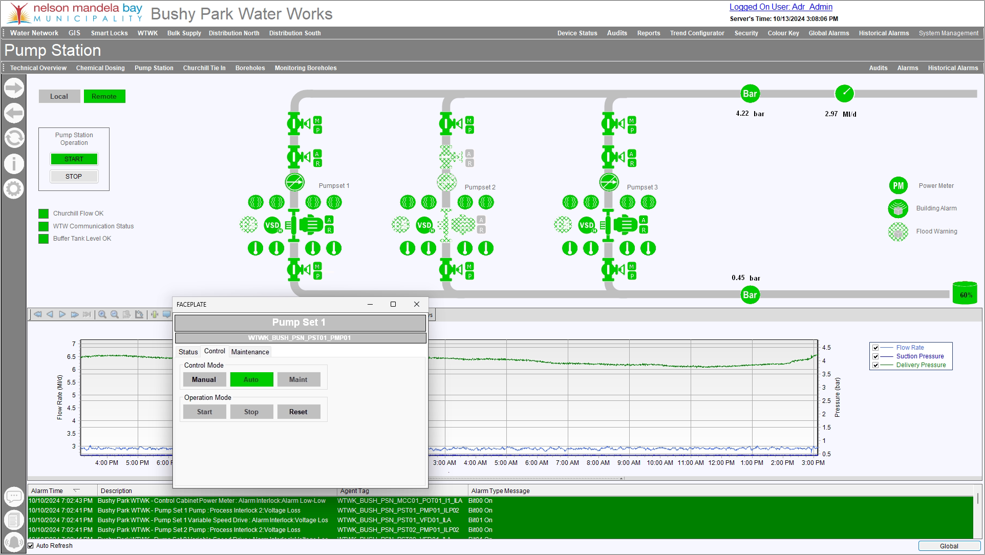
The Telemetry-SCADA system proved itself invaluable to managing a tightly constrained system by facilitating real-time decision making and providing immediate data for measurement of the results
Step 11: Feed data into asset management systems to encourage proactive maintenance
The NMBM’s IT Department supported the development of the water OT system on condition that it remain isolated from the IT system. There has since been only one exception made to this rule; a single, highly secure point of access between the vast amount of information stored by the Telemetry-SCADA system on a Microsoft SQL database and the NMBM’s Water and Sanitation asset management system. Operators of the asset management system are able to send queries to the SQL database at predefined times for select data. This has tremendously improved the departments’ ability to timeously submit International Water Association (IWA) reports to the Department of Water and Sanitation (DWS), the standard water balance to evaluate the performance of water distribution systems. It has also improved on the planning of proactive maintenance based on quantifiable equipment health metrics.Step 12: Integrate into non-revenue water and billing workstreams
A recent investment into water conservation and water demand management by the NMBM has led to the establishment of numerous Greater Metered Areas (GMAs), District Metered Areas (DMAs), and Pressure Managed Areas (PMAs). The zones of supply connected to these meters can be measured and then compared to the total billed volumes within that same zone. This allows the NMBM to focus its efforts to reduce Non-Revenue Water (NRW) by targeting zones with the highest disparity between the two figures. The Telemetry-SCADA system has automated these investigations, providing real-time and continuous data for analysis and actioning. Two secondary benefits have been the ability to collect data on nighttime flows and data on maximum pressures supplying each zone.
Using its Telemetry-SCADA system, the municipality can now pinpoint areas with high water losses and respond in real time, while also gaining insights into pressure levels and nighttime flows
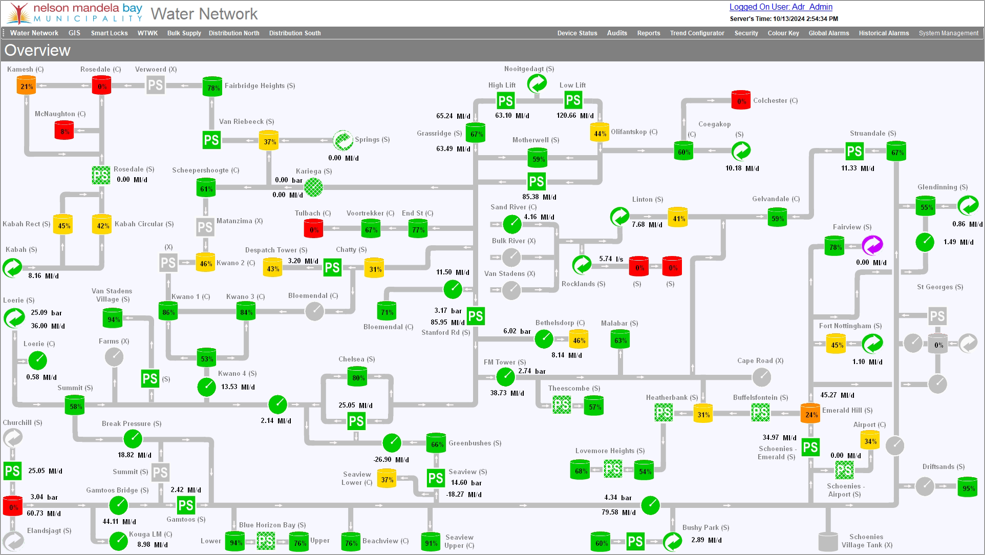
Screenshot of the NMBM’s Telemetry-SCADA Water Network Overview, illustrating the situational awareness based design philosophy.
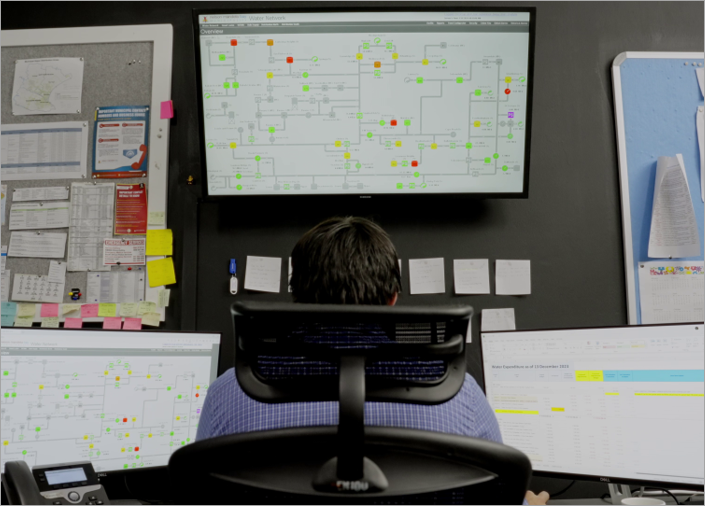
Implementing a Telemetry-SCADA system to remotely oversee and control a water supply system can be done.
Secrets to a successful Telemetry-SCADA project
- Select a “champion” to lead the project.
- Start small with pilot projects.
- Accept that it will be an iterative development process.
- Standardise and document everything!
- It is only as good as the time and effort put into it.